






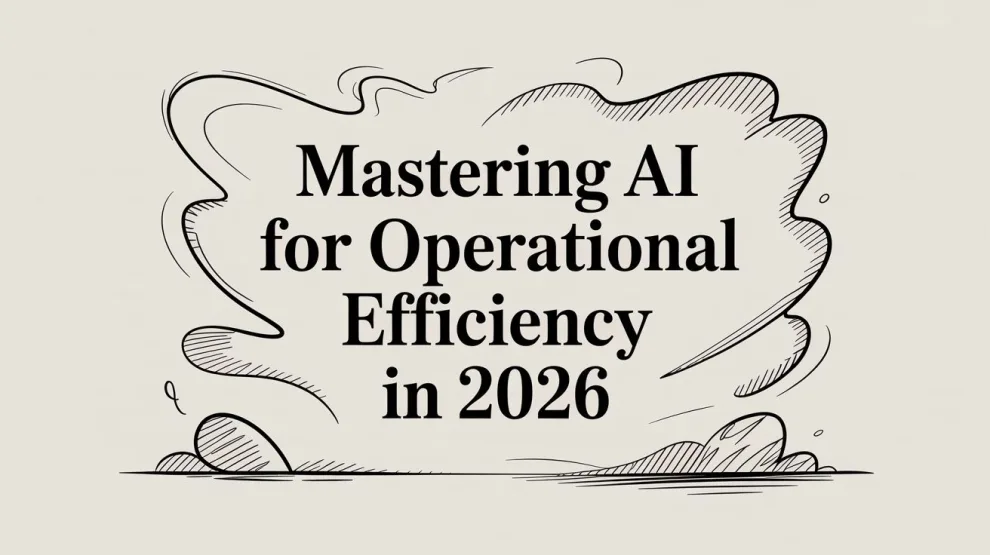

AI for operational efficiency starts paying off when it changes how decisions get made, not just how tasks get automated. Companies using AI in operations have reported average savings of 22% on operational costs, and 54% of executives noted significant productivity boosts from AI integration according to Magnetaba's roundup of AI statistics.
That number matters because many organizations still frame operational AI too narrowly. They think about chatbots, workflow automation, or a faster way to process tickets. In practice, the strongest gains come from combining automation with prediction, prioritization, and exception handling. AI doesn't just move work faster. It helps teams decide what to do, when to do it, and which problems to ignore until they become real.
I've seen the same pattern across software, support, manufacturing, logistics, and back-office operations. The projects that succeed aren't the most ambitious. They're the ones tied to a painful metric, built around a reliable data source, and embedded into a workflow people already use. The projects that fail usually look polished in a demo and disconnected in production.
That's the key question behind ai for operational efficiency in 2026. Not “Where can we use AI?” but “Where can we deploy it, measure it, trust it, and scale it without breaking core operations?”
Beyond the Hype What AI-Driven Efficiency Really Means
Most businesses already automated something years ago. They added rules to route tickets, set triggers in a CRM, or built scripts that moved data from one system to another. That helped, but rule-based automation has a ceiling. It only works well when the process is stable, the inputs are clean, and exceptions are rare.
AI-driven efficiency is different. It adds judgment to execution.
That judgment can be simple. A model flags an invoice that doesn't match the usual pattern. A support assistant summarizes a case before handoff. A forecasting engine adjusts reorder plans when demand signals shift. A maintenance system detects unusual vibration before a machine fails. The point isn't that AI is magical. The point is that it can process more signals than a human team can review manually, then feed that insight into an operational decision.
What efficiency actually looks like
In real environments, efficiency shows up in a few concrete ways:
- Less manual triage: Teams spend less time sorting, classifying, and routing work.
- Fewer preventable errors: AI catches anomalies, mismatches, and missing context earlier.
- Shorter cycle times: Work moves with fewer pauses for review or lookup.
- Better staff utilization: Skilled people stop doing repetitive checks and focus on exceptions, design, and escalation handling.
Practical rule: If the AI output still lives in a dashboard nobody checks, you haven't improved operations. You've improved reporting.
That's why cost savings alone are too small a lens. Yes, finance leaders care about labor efficiency and operating margin. They should. But operations leaders should also care about throughput, reliability, forecast quality, and service consistency. AI becomes valuable when it improves the system, not just a single task inside it.
Where teams misread the opportunity
A common mistake is starting with a broad mandate like “use GenAI in operations.” That's not a use case. It's a budget leak.
A better starting point is a narrow operational problem with a measurable outcome. Ticket backlog. Forecast inaccuracy. Invoice exceptions. Maintenance scheduling. Case resolution delays. Those are real starting points because they already have owners, workflows, and consequences.
Another mistake is buying an “AI platform” before the team knows whether the process itself is worth optimizing. If the workflow is broken, AI often speeds up the broken parts. That creates more activity, not more value.
The Core AI Engines Driving Efficiency
Operational AI usually rests on four engines. You don't need all of them on day one, but you do need to know which one matches the problem in front of you.

Intelligent automation
This is the operational workhorse. It combines workflow logic with AI services so a process can move without constant human intervention. Think invoice intake, claims routing, IT ticket classification, account provisioning, or document extraction.
The value of intelligent automation isn't just that it removes clicks. It standardizes how work enters the system, which reduces variation. Once that happens, everything downstream gets easier to measure and improve.
A good test is simple. If employees repeatedly copy, paste, classify, escalate, or reformat the same kind of information, intelligent automation is probably the right first move.
Machine learning
Machine learning is the prediction layer. It looks at historical and live signals, then helps teams estimate what's likely to happen next.
Applications include demand forecasting, churn prediction, staffing models, pricing support, and predictive maintenance. For supply chain and inventory teams, this can be especially valuable because AI-powered forecasting tools can reduce forecasting errors by up to 50% and reduce lost sales due to inventory shortages by up to 65%, according to IBM's overview of AI in operations management.
That matters because manual forecasting usually fails at the edges. It struggles with seasonality shifts, external signals, and fast-moving product portfolios. ML doesn't remove planning judgment, but it gives planners a stronger baseline.
Natural language processing
NLP turns messy language into operational input. It helps systems classify requests, extract fields from documents, summarize conversations, search internal knowledge, and generate first-draft responses.
In practice, NLP is one of the fastest ways to remove friction from service operations because so much work starts as unstructured text. An email, a ticket, a contract note, a chat message, a call transcript. Without NLP, someone has to interpret it manually.
The best NLP deployments don't try to replace experts. They make experts faster by organizing context before the human steps in.
This is also where a lot of generative AI pilots begin. That's fine, as long as the team puts guardrails around accuracy, escalation rules, and approval thresholds.
Computer vision and anomaly detection
Computer vision gives systems the ability to inspect images and video. Anomaly detection finds behavior that doesn't fit the normal pattern, whether that signal comes from a machine, a user session, a financial process, or a network event.
These capabilities are useful when humans can't consistently monitor high-volume visual or sensor data. In manufacturing, that might mean defect inspection or wear detection. In logistics, it can support package verification or yard monitoring. In IT and security operations, anomaly detection helps teams spot unusual behavior before it becomes an outage or incident.
The key is pairing detection with action. If the model identifies a problem but nobody owns the response path, the signal gets ignored.
AI Efficiency in Action Across Your Business
The fastest way to evaluate ai for operational efficiency is to stop thinking in model categories and look at where work gets stuck. Every function has a different bottleneck. AI matters when it removes that bottleneck cleanly.

Manufacturing and field operations
Predictive maintenance is still one of the clearest operational wins because failure is expensive, visible, and measurable. Sensor data such as vibration, temperature, energy use, and acoustic signatures can reveal degradation before a line stops or an asset fails in the field.
The impact can be substantial. A mining company using AI-driven predictive maintenance achieved a 30% reduction in production downtime, while another deployment saved approximately 2,000 hours of unplanned downtime, as described in Zartis's examples of AI for operational efficiency.
That doesn't mean every predictive maintenance project succeeds. The ones that work have consistent sensor pipelines, clear maintenance ownership, and a process for turning alerts into scheduled intervention. The ones that fail usually drown the team in low-confidence alerts.
Supply chain and planning
Inventory teams often think they have a data problem when their underlying issue is decision latency. By the time planners reconcile historical sales, promotions, seasonality, and market signals, the replenishment window has already narrowed.
AI improves this when the forecast output feeds directly into procurement or inventory planning workflows. If it stays trapped in an analytics dashboard, planners still end up making manual decisions under time pressure.
Service and support operations
Customer support, internal IT, and shared service teams are good AI candidates because they handle high volumes of repetitive requests mixed with a smaller set of complex cases.
A practical pattern looks like this:
- Classify the incoming request before an agent touches it
- Summarize prior context from CRM, ticketing, or chat history
- Suggest next action based on similar past resolutions
- Route exceptions to specialists when confidence is low
That combination usually outperforms a standalone chatbot because it improves the whole queue, not just self-service.
Finance and back office
Finance leaders rarely need an “AI transformation” pitch. They need fewer exceptions, cleaner approvals, and shorter processing loops. Good use cases include invoice capture, duplicate detection, expense review, contract abstraction, and collections prioritization.
If a finance process depends on staff repeatedly checking whether a document matches a rule, AI can usually take the first pass and leave only the judgment calls for humans.
The same principle applies in legal ops, procurement, and compliance support. Start where the work is repetitive, rules exist, and exceptions are expensive.
How to Measure the True ROI of Operational AI
If you can't measure operational AI, you can't defend it when budgets tighten.
A strong ROI case starts with one practical benchmark. Enterprise users reported that AI saves 40 to 60 minutes per day by streamlining decision-making and execution, according to Dataiku's coverage of the 2025 State of Enterprise AI report.

That number is useful, but it shouldn't be the only thing you present to leadership. Time saved is often the weakest standalone metric because teams don't automatically turn saved time into realized value. The better approach is to tie AI output to operational KPIs that already matter.
Metrics that hold up in review
Use a before-and-after baseline for the process you're improving. Four metrics tend to work well:
| KPI | How to use it |
|---|---|
| Cost per transaction | Track total operating cost divided by number of transactions handled |
| Cycle time reduction | Use the formula given in the report: (baseline time − current time) ÷ baseline time × 100 |
| Average resolution time | Measure total handling time divided by total cases |
| Error or exception rate | Track how often work needs reprocessing, correction, or escalation |
These are operational metrics, not vanity metrics. They show whether the AI changed throughput, quality, or handling effort.
What to count beyond labor savings
A mature ROI model should include three layers:
- Direct efficiency gains such as lower manual handling time or fewer review steps
- Quality gains such as fewer errors, less rework, and more consistent execution
- Business gains such as better inventory availability, faster customer response, or reduced downtime
Many teams stop at the first layer because it's easier. That leaves money on the table and weakens the business case.
Here's a useful way to think about it. If AI reduces cycle time but creates more exceptions, you haven't improved the operation. You've shifted work downstream. If it reduces manual effort and keeps quality stable or better, you've created durable value.
A short explainer on operational metrics helps frame the discussion:
The measurement mistake to avoid
Don't compare a polished pilot against a messy production baseline without controlling for volume, seasonality, and staffing mix. That's how teams overstate ROI and lose credibility later.
Use the same process, the same time window when possible, and the same definition of “done.” If the model changes routing, approval logic, or staffing roles, document that too. Otherwise the KPI story won't survive a second review.
A Practical Roadmap for AI Implementation
Most operational AI rollouts fail for ordinary reasons. The use case is too broad, the data is unreliable, the owners aren't aligned, or nobody defines what success means before launch.
The implementation path that works is narrower and more disciplined.

Step 1 Pick a painful but manageable pilot
Your first project should sit in a workflow that already hurts and already has an owner. Good examples include ticket triage, invoice extraction, maintenance alerting, forecast support, and case summarization.
Bad first projects usually share one trait. They try to redesign an entire function at once.
Use these filters when choosing:
- Visible pain: The team already feels the bottleneck every week.
- Repeatable workflow: Similar inputs appear often enough to train and evaluate a system.
- Measurable outcome: There's a clear KPI such as cycle time, downtime, exception rate, or backlog.
- Contained blast radius: If the pilot underperforms, it won't disrupt a mission-critical dependency.
Step 2 Fix the data path before the model
In operations, data quality breaks more projects than model quality. Before selecting a vendor or building a workflow, verify where the inputs come from, who owns them, how often they update, and what “correct” looks like.
Many teams need more implementation discipline than AI sophistication. If you're planning a broader adoption motion, this guide to implementing AI in business is a useful complement because it focuses on rollout mechanics, stakeholder alignment, and deployment readiness.
Implementation note: Don't ask the model to compensate for fragmented process ownership. It won't.
Step 3 Define decision rights and fallback rules
This is the step teams skip because it sounds operational rather than groundbreaking. It's also the step that determines whether the pilot can safely run in production.
For every AI-assisted action, define:
- When the system can act automatically
- When a human must review the output
- What confidence threshold triggers escalation
- How the user corrects a bad recommendation
- Where the audit trail is stored
If you can't answer those five questions, you're not ready for deployment.
Step 4 Run the pilot in production conditions
A pilot should operate close to real volume, real users, and real exceptions. Don't rely on a demo environment with curated examples. That hides the messiness that defines actual operations.
During the pilot, monitor two things separately. First, the target KPI. Second, the operational side effects such as extra reviews, user workarounds, or handoff delays. A pilot can look successful in reports while frustrating the team doing the work.
Step 5 Scale only after the workflow proves itself
Once the pilot performs consistently, scale through adjacent workflows, not through a company-wide mandate. Reuse patterns that already worked. Integrations, approval logic, exception handling, model monitoring, and reporting standards.
The strongest scale-ups usually happen one process family at a time. Support, then IT operations. Planning, then procurement. Maintenance, then quality inspection. That sequencing keeps governance practical and preserves trust.
Navigating the Risks and Ethics of AI in 2026
A lot of operational AI advice still assumes that if the model is useful, the rollout is safe. That assumption doesn't hold in 2026, especially when generative systems start influencing decisions rather than drafting text.
The sharpest warning sign is accuracy drift in decision workflows. According to the policy analysis published by CyberPeace, GenAI hallucinations in decision workflows caused 25% error spikes in 2026, while Explainable AI integrations boosted adoption by 35% in major markets in the same discussion of emerging safeguards and regulatory pressure. That analysis is covered in CyberPeace's article on policy pathways for sustainable AI advantage.
Where risk shows up first
The highest-risk operational deployments usually have one of these traits:
- They influence approvals in finance, procurement, HR, or compliance
- They generate recommendations without showing evidence or source context
- They trigger actions across multiple systems with limited human review
- They operate on sensitive data with weak governance controls
This doesn't mean teams should avoid generative AI. It means they should use it where the error tolerance is understood and the review path is explicit.
A better ROI formula
For operational AI, ROI should include the cost of safety and governance, not just labor efficiency. A practical formula is:
(Efficiency gain × labor cost saved) − (implementation cost + ethical audit overhead)
That won't give you a perfect finance model, but it forces the right discussion. If a deployment creates speed and also creates review burden, bias risk, or rework, the gross savings figure is misleading.
Trust is an operational asset. When staff stop believing the system's output, throughput drops even if the automation still runs.
Teams building production systems should also establish a clear governance layer for model approval, incident response, and human override. This framework for AI risk management is useful when you need to formalize controls around model behavior, compliance, and accountability.
What works in practice
Explainability matters most when the AI affects a consequential decision. Staff need to see why something was flagged, routed, summarized, or prioritized. In many workflows, a less capable system with clearer reasoning beats a more capable system that behaves like a black box.
Bias testing, audit logs, role-based access, and escalation design aren't “extra governance.” They're part of the implementation. If they're missing, the deployment is incomplete.
How to Select Your First AI Efficiency Tools
Don't start by asking which vendor has the most features. Start by asking which tool fits the workflow, the systems you already run, and the level of control your team needs.
Early buyers often overvalue model quality and undervalue integration, observability, and support. In operations, the winning tool is usually the one that plugs into CRM, ERP, ticketing, inventory, or document systems cleanly and gives admins strong control over review rules and logging.
A practical buying shortlist might include categories like process mining platforms, intelligent automation suites, document AI tools, forecasting platforms, and AI copilots embedded in systems such as Salesforce, ServiceNow, Microsoft, SAP, or Zendesk. If your first use case is workflow-heavy, start with platforms designed for AI workflow automation tools rather than standalone models.
AI Tool Evaluation Criteria
| Criterion | What to Look For |
|---|---|
| Scalability | Can the platform handle more workflows, more users, and larger data volumes without redesigning the solution? |
| Integration APIs | Does it connect cleanly to the systems where the work already happens, such as ERP, CRM, ticketing, and document repositories? |
| Explainability features | Can users and administrators inspect outputs, confidence signals, decision logic, or source context when accuracy matters? |
| Vendor support | Does the vendor offer implementation guidance, governance controls, and responsive support when production issues appear? |
One final filter matters more than is commonly anticipated. Ask the vendor to show how the tool handles exceptions, not just happy-path automation. That's where operational software earns its keep.
If you're evaluating ai for operational efficiency and need grounded guidance on implementation, tooling, and risk, AssistGPT Hub is a strong place to continue. It brings together practical AI articles, comparisons, roadmaps, and real-world adoption guidance for professionals who need measurable outcomes, not buzzwords.












Add Comment