





At 3 AM, nobody cares that your monitoring stack has twelve dashboards, three ticket queues, and a runbook folder nobody has opened in months. They care that checkout is failing, alerts are flooding Slack, engineers are guessing at root cause, and every minute of delay pushes customer trust lower.
That's the operating reality that makes ai for it worth taking seriously. Not as a shiny feature. Not as another vendor category. As a practical shift from reactive firefighting to systems that can spot anomalies earlier, correlate noise faster, suggest likely causes, and automate the first round of response.
The teams getting value from AI in IT aren't chasing magic. They're applying it to repetitive pattern recognition, high-volume operational data, and workflows where speed matters more than heroics. Done well, AI for IT reduces manual triage, shortens incident response, and gives engineers time back for architecture and reliability work instead of constant interruption.
Why AI for IT Is a Strategic Imperative
A core service slows down during peak traffic. Alerts fire across infrastructure, application, and security tools. The NOC sees resource pressure, the app team sees timeout errors, and leadership wants a status update in ten minutes. In that moment, the issue is not visibility alone. It is speed, context, and coordination.

That is why AI for IT has shifted from an interesting idea to an operating requirement for many teams. Modern environments produce more telemetry than human responders can sort through under pressure. Logs, metrics, traces, change records, tickets, and user reports all matter, but they rarely line up cleanly enough for a fast decision without help.
AI helps by reducing the time between signal and action. It correlates related events, surfaces likely causes, summarizes what changed, and supports tightly scoped automation. Used well, it cuts triage time and reduces alert fatigue. Used poorly, it magnifies bad data, weak ownership, and inconsistent processes. I have seen both outcomes. The difference usually comes down to whether the team treated AIOps as an operations discipline instead of a tool purchase.
The strategic case is straightforward. IT leaders are under pressure to improve reliability without adding headcount at the same rate as system complexity. Cloud growth, SaaS sprawl, faster release cycles, and rising security expectations have changed the economics of operations. Manual correlation does not scale. Heroic incident response does not scale either.
Three pressures show up in almost every environment:
- Telemetry volume keeps rising: More platforms, services, and dependencies create more events than engineers can review manually.
- Business tolerance for delay keeps shrinking: Revenue systems, employee platforms, and customer-facing apps all carry higher uptime expectations.
- Operational labor is expensive: Senior engineers should be fixing systemic issues, not sorting duplicate alerts for hours.
The core value is focus.
Teams that succeed with AI for IT do not start by trying to automate everything. They start with expensive, repetitive work such as alert deduplication, incident enrichment, change correlation, and first-line remediation. That creates measurable gains early, builds trust with engineers, and gives leadership a business case grounded in lower toil and faster recovery.
It also forces hard conversations that should happen anyway. Is your telemetry tagged well enough to support correlation? Are service ownership and escalation paths clear? Can teams accept machine-generated recommendations if they cannot see why the system made them? These are not side issues. They determine whether AI improves operations or just adds another noisy console.
A practical starting point is to tie AI efforts to service reliability goals, incident metrics, and team workflow changes, not abstract innovation targets. This approach aligns well with an AI adoption strategy tied to business execution.
Decoding AI for IT and the Rise of AIOps
AIOps means applying AI to IT operations. In practice, it's the combination of telemetry, machine learning, and automation to detect issues, interpret them, and help resolve them faster.
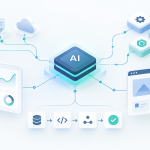
The simplest way to think about it is as a nervous system for modern infrastructure. Sensors collect signals. Analytics interpret those signals. Automated actions respond when defined conditions are met. Traditional monitoring tells you something is wrong. AIOps tries to tell you what's wrong, what else is affected, and what should happen next.

The three pillars that matter
AIOps usually stands on three technical pillars.
Data ingestion
Logs, metrics, traces, events, CMDB records, deployment history, asset data, and ticket activity all feed the system. If these inputs are fragmented or poorly tagged, the AI layer won't rescue you. It will just process confusion at scale.AI and ML analysis
Models detect anomalies, correlate alerts, identify patterns, classify incidents, and estimate likely root causes. AI provides significant advantage, especially in noisy environments where humans can't manually compare thousands of signals in real time.Intelligent automation
The final layer acts on approved playbooks. That may mean restarting a failed service, scaling capacity, enriching a ticket, routing an incident, or generating a remediation suggestion for human approval.
A lot of teams miss the difference between automation and AIOps. Automation follows explicit rules. If X happens, do Y. AIOps still uses automation, but it adds probabilistic interpretation. It can decide that ten alerts from different systems are probably one incident, not ten separate problems.
What good AIOps looks like
A healthy AIOps implementation usually does four things well:
- Reduces alert noise: It suppresses duplicates and groups related events.
- Adds context fast: It attaches recent deploys, affected dependencies, past incidents, and service ownership.
- Improves handoffs: It routes work to the right team with enough information to act.
- Supports controlled remediation: It automates low-risk responses and escalates higher-risk ones.
Here's a short walkthrough that does a good job showing how AI-driven IT operations fit together in practice:
Practical rule: If your monitoring data is incomplete, inconsistent, or politically owned by separate teams, fix that before you expect AIOps to perform well.
The strongest AIOps programs don't begin with autonomous operations. They begin with visibility, correlation, and recommendation. Automation comes next, after teams trust the signal quality.
Practical Use Cases Transforming IT Operations
At 2:13 a.m., the monitoring stack throws 300 alerts after a routine deployment. The service desk opens duplicate tickets, the on-call engineer starts chasing the wrong dependency, and a customer-facing slowdown turns into a cross-team incident. This is the kind of operating failure AI for IT can reduce, but only if the use case is chosen well and the underlying process already works.
The best starting points share three traits. A team owns them. They happen often enough to produce patterns. The cost of delay or inconsistency is already visible in incident volume, ticket backlog, or engineering time. That is why strong early use cases usually show up in incident response, service management, developer workflows, security operations, and capacity management.
AI has already changed day-to-day IT work, especially in software delivery. The question for IT leaders is no longer whether teams will use it. The question is where it can produce measurable operational gains without adding risk, rework, or false confidence.
Where teams are seeing practical gains
Incident management is usually the fastest path to value. AI can group related alerts, summarize likely impact, pull in recent changes, and suggest the probable service or dependency involved. That cuts triage time and reduces the back-and-forth between operations, application teams, and the service desk. It does not remove the need for good observability. It makes good observability easier to use under pressure.
Remediation works best in narrow, well-governed cases. Restarting a failed worker, scaling a service under predictable load, rolling back a known bad release, or executing an approved failover step are all reasonable examples. Broad autonomous remediation across poorly documented environments usually creates more risk than value. I have seen teams lose trust in an AIOps program after one incorrect production action, even when the recommendation quality was otherwise strong.
Developer operations is another high-yield area. AI can speed up code generation, explain unfamiliar modules, draft tests, summarize pull requests, and help engineers debug faster. The gains are real, but they depend on context. A general model with no access to your architecture, coding standards, internal libraries, or runbooks will often produce work that looks plausible and fails review.
Security operations benefits from the same discipline. AI can help detect unusual behavior, enrich alerts with host and user context, summarize investigations, and prioritize queues. It does not replace detection engineering, threat hunting, or human judgment. Security teams get the best results when they use AI to reduce analyst toil, not to make final decisions without review.
Service management and knowledge management are often overlooked, but they are practical starting points because the workflows are repetitive and the business impact is easy to measure. Ticket classification, routing, draft responses, runbook search, incident recap generation, and guided troubleshooting all improve handoffs. They also expose a common weakness fast. If your service catalog, documentation, and ownership data are unreliable, the model will spread that confusion at machine speed.
AI for IT use cases across key domains
| IT Domain | Common Problem | AI-Driven Solution | Business Outcome |
|---|---|---|---|
| Incident management | Too many alerts from one underlying issue | Alert correlation, incident summarization, probable root cause suggestions | Faster triage and less engineer overload |
| Automated remediation | Repetitive operational fixes consume senior time | Runbook automation with policy checks and approvals | More consistent response to known failure modes |
| DevOps and code ops | Slow debugging and context switching during delivery | AI-assisted coding, code explanation, test generation, debugging help | Higher developer throughput and shorter feedback loops |
| IT service management | Tickets arrive incomplete or route to the wrong queue | Ticket classification, enrichment, routing, response drafting | Better service desk efficiency and cleaner handoffs |
| Security operations | High alert volume with weak prioritization | Anomaly detection, alert enrichment, investigation assistance | Better analyst focus and faster response prioritization |
| Capacity and performance | Teams react after users feel impact | Pattern analysis for early anomaly detection and scaling recommendations | More stable services and fewer surprise incidents |
| Knowledge management | Runbooks and docs go stale or are hard to search | Semantic search, incident recap generation, guided troubleshooting | Faster onboarding and less tribal knowledge dependence |
What works and what usually fails
The strongest patterns are boring on purpose.
- High-volume repetitive workflows: Ticket routing, alert grouping, incident summarization, and queue prioritization usually produce quick wins because the baseline process already exists.
- Approved remediation paths: If the organization has tested runbooks, clear approvals, and rollback steps, AI can recommend or trigger those actions safely.
- Context-rich developer support: Models perform much better when they can use internal repositories, architecture docs, change records, and coding standards.
- Operational decisions with measurable outcomes: Good candidates have metrics such as mean time to acknowledge, mean time to resolve, ticket reassignment rate, escalation volume, or after-hours pages.
Failure patterns are just as consistent.
- Weak ownership: If no one owns the service map, the automation rules, or the model output, adoption stalls and every bad result turns into a governance argument.
- Poor data hygiene: Inconsistent tags, duplicate CI records, missing dependency maps, and stale runbooks break correlation and damage trust.
- Too much automation too early: Recommendation mode and human approval usually outperform full autonomy at the start.
- No change-management plan: Teams need to know how suggestions are generated, when automation is allowed, and how to challenge bad output.
A useful rule is simple. Apply AI to a process that is noisy, repetitive, and already understood. Do not apply it to a process nobody has defined, documented, or measured.
That is the difference between a pilot that demos well and a program that improves IT operations. This is also where the larger playbook matters. Use cases should connect to architecture choices, implementation sequencing, tool selection, and ROI tracking from the start, or the effort stays stuck in isolated experiments.
Common Architectural Patterns for AIOps
Most AIOps architectures settle into one of two models. The first is centralized. The second is federated. Neither is universally better. The right choice depends on how your teams are structured, how fragmented your data is, and how much standardization your organization can enforce.
Centralized platforms
In a centralized model, logs, metrics, traces, events, and tickets flow into one primary platform. Teams share a common telemetry backbone, a common event model, and a common automation layer.
This approach works well when the organization wants one operational language. Service maps are easier to maintain. Cross-domain correlation is easier to implement. Governance is simpler because model access, retention, and automation controls sit in fewer places.
The downside is political and technical. Centralized programs move slower at the start, especially when different teams already rely on Datadog, Splunk, Elastic, New Relic, Grafana, ServiceNow, Jira, and cloud-native tools in different combinations.
Federated operating models
A federated model accepts that teams will keep some domain-specific tooling. Platform engineering might own shared telemetry standards and integration rules, while app teams, SRE, and security retain local autonomy.
This is usually more realistic in large environments. It avoids forcing every team into the same workflow on day one. It also lowers migration friction. The trade-off is correlation complexity. If naming standards, metadata, and event schemas aren't disciplined, you end up with local intelligence and global confusion.
The pipeline that matters most
Regardless of model, a solid AIOps pipeline usually looks like this:
- Collection: Pull telemetry from infrastructure, applications, CI/CD, ITSM, identity, and security systems.
- Normalization: Standardize timestamps, service names, ownership tags, severity, and environment labels.
- Storage and retrieval: Keep data accessible for both real-time analysis and historical pattern detection.
- Analytics layer: Run anomaly detection, classification, clustering, summarization, and prediction.
- Action layer: Trigger tickets, alerts, summaries, workflows, or approved remediation steps.
The overlooked piece is semantic context. Raw telemetry is not enough. Teams need a layer that maps technical fields to business meaning. A service identifier has to connect to an owner, an environment, a customer-facing dependency, and an operational priority.
That's why semantic layers matter. Context-aware systems on complex enterprise databases can reduce query hallucinations and errors by 70 to 80%, with Text-to-SQL accuracy reaching over 90% compared with 10% for generic models without context, based on analysis of semantic-layer-driven enterprise AI querying. In plain terms, generic models guess. Context-rich systems know what your schema and business language mean.
A practical example is asking, “Which release likely caused the spike in failed logins for premium users?” Without schema grounding, a model may pick the wrong tables or joins. With a semantic layer, it can map “premium users,” “failed logins,” and “release” to the right operational data and return something usable.
Building Your Implementation Roadmap
Most AI for IT rollouts fail for ordinary reasons. They start too broad, use poor data, skip ownership decisions, and promise autonomy before teams trust the output. A workable roadmap is narrower, slower at the beginning, and much more disciplined.

Phase one assess and narrow the problem
Start by choosing one pain point, not ten. Good pilot candidates are noisy alerting, ticket triage, deployment-related incidents, or repetitive service desk work. The use case should be frequent, measurable, and annoying enough that people want it fixed.
Then check your data reality:
- Telemetry quality: Are logs, traces, and events consistently tagged?
- Workflow maturity: Do you already have runbooks or escalation rules?
- Ownership clarity: Who approves model behavior and automated actions?
- Tool access: Can the system reach the data sources it needs?
At this stage, resist the urge to buy a platform because the demo looked polished. First define the operational question you need answered and the action you want the system to support.
Phase two pilot with expert workflow data
Many teams discover that general models aren't enough. In IT environments, the strongest performance comes from training, tuning, or grounding systems on expert workflow data such as resolved incidents, high-quality tickets, runbooks, code review comments, and known remediation patterns.
That matters because models trained on expert-driven workflow data improved by 67.3 points on SWE-bench in a single year, and specialized approaches enable capabilities like automated bug detection with up to 85% fix rates, according to SignalFire's analysis of expert data in AI model performance. The takeaway for IT leaders is simple. Your internal operating knowledge is often more valuable than another generic prompt template.
A strong pilot usually includes:
A bounded scope
One service, one incident class, or one workflow. Keep the blast radius small.Human review gates
Let the system classify, summarize, and recommend before it acts automatically.Feedback loops
Capture what engineers accepted, rejected, edited, or escalated. That's the data that improves performance.Adoption training
Teach teams how to challenge AI output, not just how to consume it.
The fastest way to lose trust is to automate before the team can see why the model made a recommendation.
A practical business rollout often mirrors the phased discipline used in AI implementation planning for operating teams.
Phase three scale what earned trust
Once the pilot is stable, expand horizontally. Add more services, more integrations, and more automation, but only after proving signal quality. Standardize metadata. Build shared prompt patterns. Define escalation thresholds. Assign ongoing owners for both the workflow and the model behavior.
Track outcomes that operations teams care about:
- MTTR: Whether incidents close faster
- Alert noise reduction: Whether engineers see fewer duplicate signals
- Escalation quality: Whether issues reach the right team sooner
- Change failure visibility: Whether recent deploys get surfaced faster during incidents
- Engineer productivity: Whether senior staff spend less time on repetitive triage
The best implementations treat AI as an operational product. It needs backlog grooming, quality reviews, access control, and continuous tuning. Once leaders accept that, scaling becomes much more predictable.
Evaluating and Selecting AI for IT Tools
Tool selection gets messy because most platforms now claim some form of AI operations capability. Some are mature. Some are repackaged observability features with a chatbot on top. The difference shows up quickly when you test them against your actual environment.
Build versus buy
Buying usually makes sense when you need faster deployment, broad integrations, and vendor support. That's often the right path for organizations already invested in platforms like Datadog, Dynatrace, Splunk, New Relic, ServiceNow, or Microsoft's ecosystem. You inherit connectors, dashboards, role controls, and a support model.
Building makes sense when your workflows are highly specific, your data sits across unusual internal systems, or you need tighter control over prompting, model selection, or automation logic. It also makes sense when you already have platform engineering depth and can support ongoing tuning.
The choice isn't ideological. It's operational. If you can't maintain a custom system, don't build one because it sounds flexible.
The evaluation criteria that matter
When I evaluate AI for IT tools, I focus on five areas.
| Evaluation area | What to check | Why it matters |
|---|---|---|
| Data compatibility | Native support for logs, metrics, traces, tickets, CI/CD, identity, and cloud events | Weak ingestion limits everything downstream |
| Workflow integration | Slack, Teams, Jira, ServiceNow, PagerDuty, GitHub, and cloud platform support | Good insights fail if they don't fit team workflows |
| Explainability | Can the tool show why it correlated an alert or suggested an action? | Trust depends on inspectable reasoning |
| Automation control | Approval gates, policy boundaries, rollback options, and audit trails | Safe automation beats aggressive automation |
| Scalability | Performance across noisy multi-team environments | Pilots are easy. Production scale is the hard part |
Product demos can mislead you
Vendors love showing polished examples with clean data and obvious incidents. That's not your environment. Your environment has conflicting tags, stale ownership metadata, partial tracing coverage, and at least one team that still uses spreadsheets for service dependencies.
Run a proof of value against ugly reality. Use real incidents, not canned ones. Test whether the tool can:
- Correlate across domains: App, infra, security, and ITSM signals together
- Handle imperfect metadata: Not everything will be labeled correctly
- Respect approvals: Automated action must stay inside defined limits
- Support post-incident learning: Recommendations should improve over time
Buy the platform that fits your operating model, not the one with the flashiest assistant demo.
A useful shortcut is to ask one hard question during evaluation: “What happens when the model is wrong?” The vendor's answer tells you a lot about maturity.
Governance Security and Calculating ROI
At 2:13 a.m., the incident channel is full, the model recommends a restart, and nobody on call can tell whether that recommendation came from a valid pattern or bad context. That is the moment governance stops sounding bureaucratic and starts looking like production safety.
Teams get into trouble with AI for IT for predictable reasons. The data is messy, ownership is unclear, and automation gets approved before anyone defines limits. If you want AIOps to survive contact with auditors, security, and on-call engineers, put controls in place before you expand usage.
Governance that actually works
Good governance for AIOps is operating discipline with named owners. Four areas need explicit accountability:
- Data quality: service ownership, CI relationships, tagging standards, ticket classification, and telemetry coverage
- Model behavior: prompt changes, tuning decisions, threshold setting, and testing before release
- Automation policy: which actions are allowed, which require approval, and which are blocked entirely
- Review and audit: false positives, failed automations, missed incidents, and policy exceptions
I have seen strong pilots stall because nobody owned the underlying service map. The model itself was not the problem. The configuration data was wrong, so correlation and recommendations drifted fast.
Security controls need the same level of precision. Give models access only to the operational data they need. Keep execution credentials separate from analysis systems. Log every recommendation, approval, and automated action so incident review has a clear record. Treat tickets, chat messages, and other user-generated inputs as untrusted data, especially in workflows that can trigger summarization or automation.
If your team needs a formal structure for those controls, align the program with an AI risk management framework for operational use.
A grounded way to calculate ROI
ROI work gets easier when you stop pitching AI for IT as a broad transformation program and start measuring one workflow at a time.
Use a simple model:
ROI = labor saved + downtime avoided + escalation reduction + risk reduction – software, integration, and operating cost
The first numbers are usually straightforward. Measure how much analyst time is spent on triage, ticket enrichment, alert deduplication, and incident updates today. Then compare that baseline against a pilot with the model in the loop. Downtime is also measurable if the use case targets faster detection, better correlation, or quicker handoff to the right team.
Some gains show up outside the service desk budget. Fewer false escalations reduce interrupt load on engineering. Better incident summaries improve communication with business stakeholders. Cleaner post-incident records help problem management and future automation design.
Risk reduction matters too, but it should be handled conservatively. Do not force a fake precision model onto avoided outages or avoided security events if your team cannot defend the assumptions. In board and CFO reviews, credibility beats aggressive math.
Don't oversell the first phase
The fastest way to lose support is to promise autonomous operations in the first quarter. AIOps programs earn trust in stages.
A credible rollout usually looks like this:
- Phase one: cut alert noise, enrich tickets, and reduce time spent on first-pass triage
- Phase two: standardize low-risk remediation for known issues with approval controls
- Phase three: extend into change analysis, service management, and broader engineering workflows
That sequence matches how trust develops. Engineers see the recommendations. Operators confirm the system stays inside policy. Finance sees time savings and fewer operational disruptions. Leadership gets a business case built on results, not vendor theater.
Your AI for IT Adoption Questions Answered
Is AIOps only for large enterprises
No. Startups and mid-sized teams can benefit if they focus on one painful workflow first. A small engineering team often feels alert noise and repetitive triage more sharply than a large enterprise because fewer people are on call. The key is to keep the first use case narrow.
How much clean data do you need
Less than many vendors imply, but more than is often believed. You don't need perfect historical data to start. You do need consistent service names, ownership information, and access to the telemetry tied to the workflow you want to improve. If those basics are missing, fix them first.
How do you get a traditional IT team to trust AI recommendations
Show the evidence, keep human approval in the loop, and start with recommendations before automation. Trust grows when engineers can inspect why the system suggested an action and see that it consistently saves time on low-value work.
What's the difference between AIOps and traditional monitoring
Traditional monitoring reports conditions and thresholds. AIOps adds correlation, interpretation, prioritization, and workflow support. Monitoring tells you a server is hot. AIOps tries to tell you whether that signal matters, what else is affected, and what should happen next.
What should you automate first
Automate known, reversible, low-risk actions. Ticket enrichment, alert deduplication, incident summarization, and runbook suggestions are usually safer starting points than production changes with broad impact.
What usually goes wrong first
Poor metadata, unclear service ownership, and unrealistic expectations. Teams often blame the model when the actual problem is weak operational discipline underneath it.
AssistGPT Hub helps teams move from AI curiosity to practical execution with grounded guidance, implementation roadmaps, tool comparisons, and hands-on insight across operations, development, and business workflows. If you're planning your next step in ai for it, explore AssistGPT Hub for clear, actionable resources that support both learning and deployment.







Add Comment